
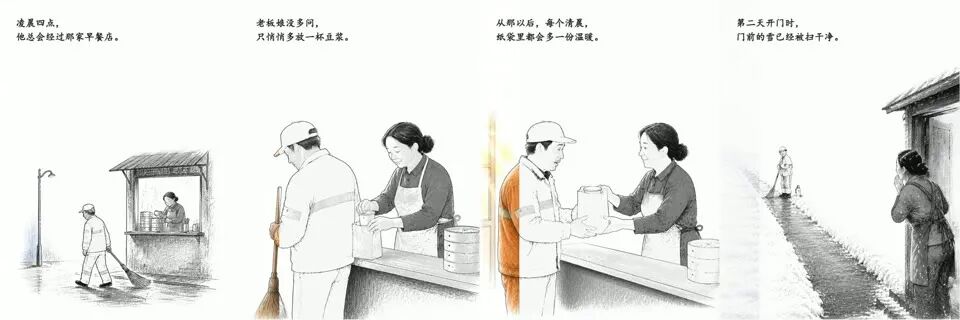
HandDraw Story Video 是一个开源项目,能将手绘故事插图转化为时长 35 到 45 秒的动画视频,包含逐行显示画面和渐变色彩效果。
核心特点
- 默认 40 秒、720×960、30 fps,适合竖屏平台
- 每幕使用一张独立彩色母图,本地提取完全对齐的线稿
- 线稿和颜色统一从左向右推进,不重复调用生图模型
- 支持可选故事字幕和画面内道具文字
- 自动检查时长、重复素材、字幕行数与字号范围
- 不绑定生图服务、音乐来源或私有 API
快速开始
git clone https://github.com/xiejunjie524/handdraw-story-video.git
cd handdraw-story-video
python -m venv .venv
source .venv/bin/activate
pip install -r requirements.txt
npm install gsap
复制模板并填写故事:
cp templates/story-template.json story.json每幕生成一张彩色母图,再提取对齐线稿:
python scripts/make_lineart.py assets/images/scene-01-color.png assets/images/scene-01-line.png准备 HyperFrames 目录和 GSAP:
mkdir -p hyperframes/assets/vendor
cp node_modules/gsap/dist/gsap.min.js hyperframes/assets/vendor/gsap.min.js
把图片和 BGM 放到 hyperframes/assets/,生成并渲染:
python scripts/build_story.py story.json hyperframes/index.html --check-assets
npx hyperframes check hyperframes/index.html --json
npx hyperframes render hyperframes/index.html --output renders/story-v1.mp4 --workers 1
故事配置
最小场景结构:
{
  "id": "scene-1",
  "duration": 5,
  "caption_lines": ["凌晨四点,", "他总会经过那家早餐店。"],
  "line_image": "assets/images/scene-01-line.png",
  "color_image": "assets/images/scene-01-color.png",
  "crop": {"scale": 1, "x": 0, "y": 0}
}
完整字段和分镜规则见 docs/story-spec.md,可运行示例见 examples/soy-milk-at-4am/story.json。
声明:本站原创文章文字版权归本站所有,转载务必注明作者和出处;本站转载文章仅仅代表原作者观点,不代表本站立场,图文版权归原作者所有。如有侵权,请联系我们删除。